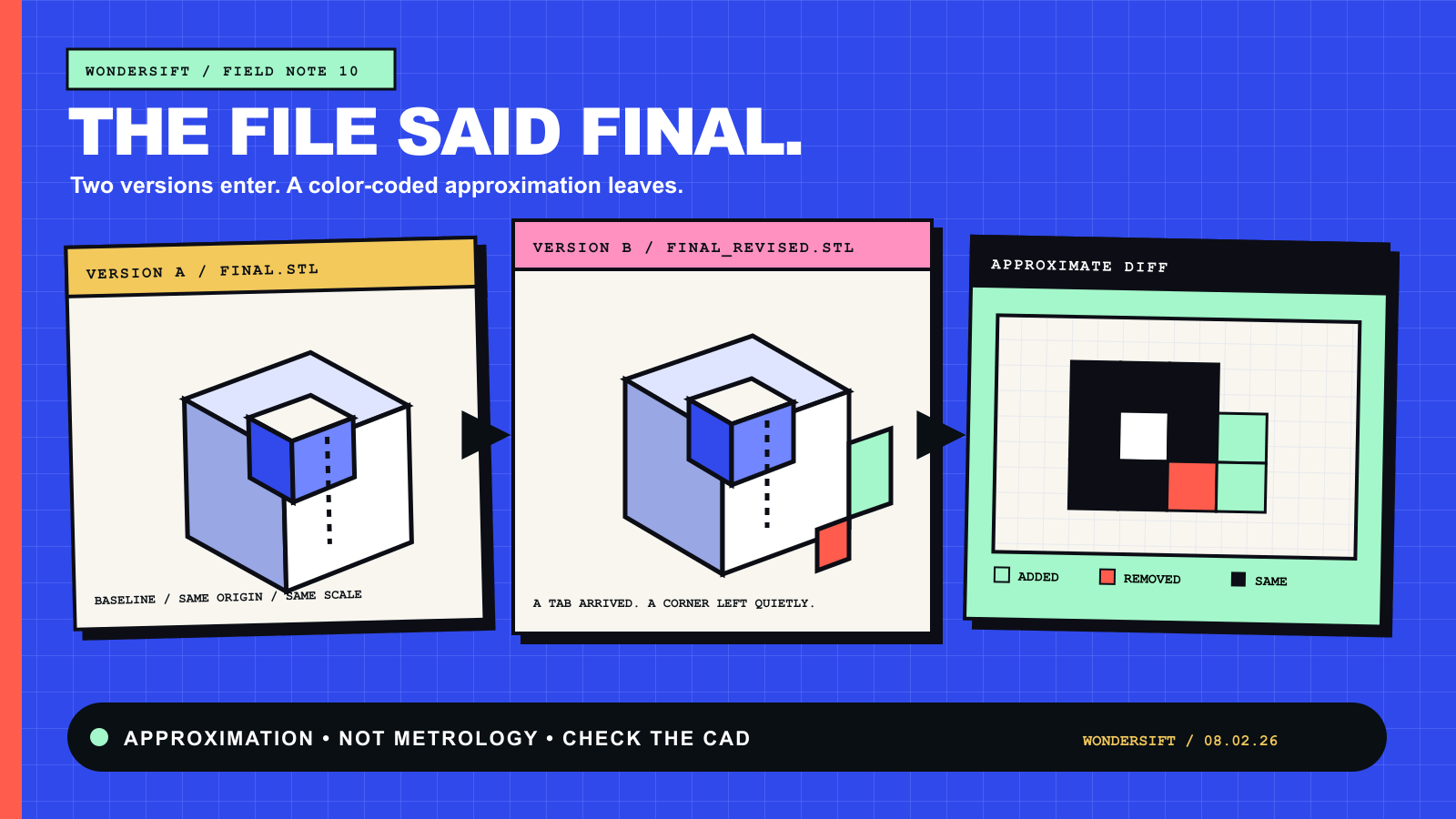
Somewhere in every 3D project lives a file called part_v3_FINAL.stl. Beside it sits part_v3_FINAL_revised.stl, quietly proving that language has failed. What changed? The filenames offer philosophy. The geometry offers several hundred thousand triangles.
Meshdiff, a new free browser beta, tries to answer with color: green for material that appeared, red for material that vanished. It is a smart visual shortcut for STL, OBJ, and 3MF files, not a manufacturing certificate. The distinction is the whole story.
Text has lines. A mesh has triangles.
A text diff can compare ordered characters and lines. A 3D mesh describes surfaces in space, usually as a crowd of triangles. Two files can represent almost the same shape with entirely different triangle counts or vertex layouts. Match triangle number 4,812 in one file to triangle number 4,812 in the other and you may be comparing a mounting hole with a decorative chin.
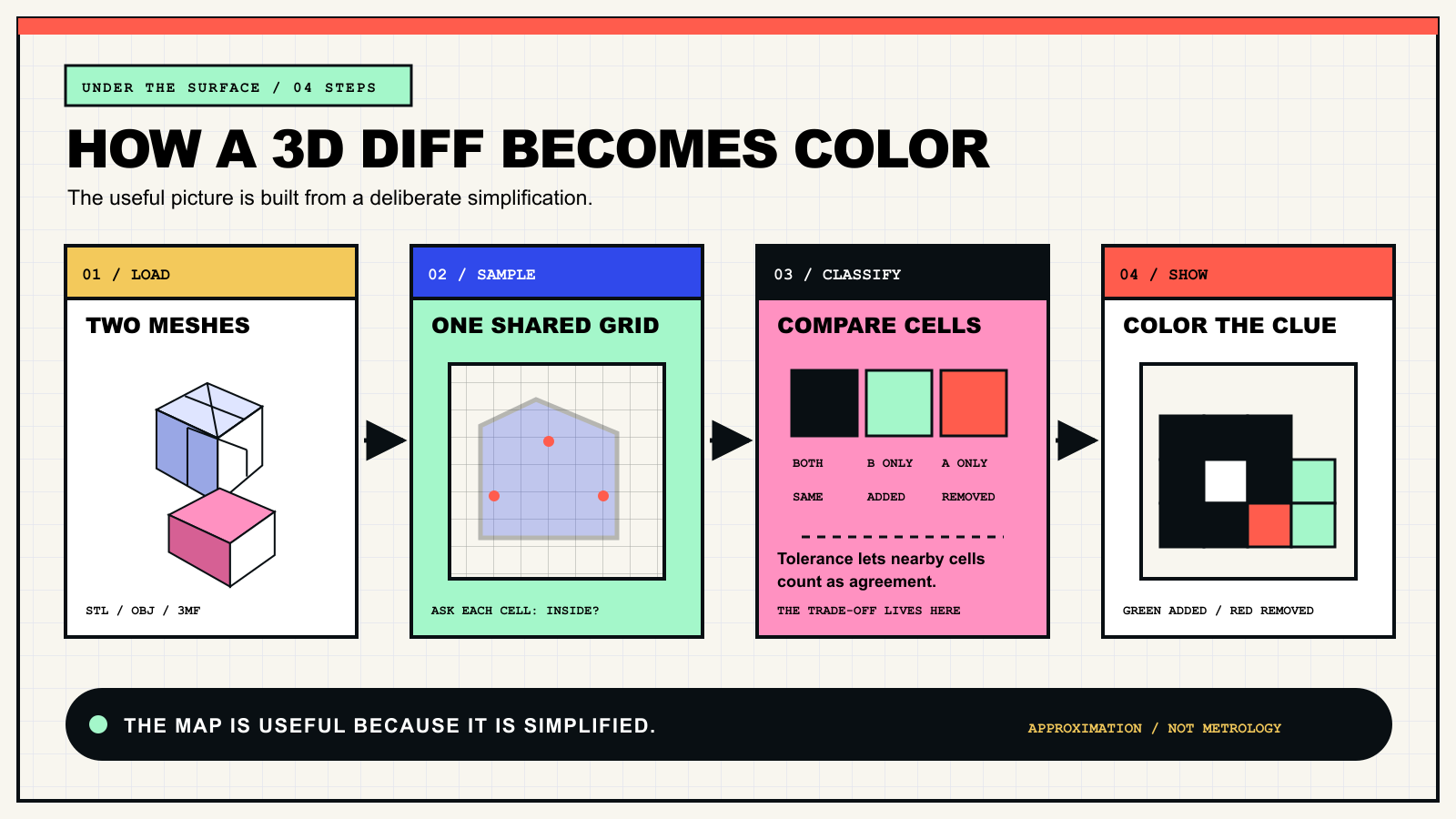
That is why a useful 3D diff needs another question. Instead of asking whether the files contain identical triangles, it can ask whether the same regions of space are occupied. Meshdiff’s default view does exactly that through voxelization—the 3D cousin of turning a photograph into pixels.
The browser builds a tiny block universe
In the deployed build WonderSift inspected on August 2, both models are placed inside one shared bounding box. The app divides that space into a finite grid, tests the center of each cell against each mesh, and records whether the point falls inside. A cell occupied only by the new model becomes green; one occupied only by the old model becomes red. Cells occupied by both are unchanged.
This makes a complicated change legible at a glance. A thickened rib glows green. A deleted tab glows red. But the grid is also the bargain: features smaller than a cell can disappear, and diagonal or curved surfaces become estimates. Raising resolution can improve detail while demanding more computation. There is no free lunch, even when lunch is made of cubes.
Tolerance is the confetti control
Real exports are noisy. A surface shifted by a fraction, a remeshing pass, or a different triangulation can make an exact comparison spray red and green over an object that is functionally unchanged. Meshdiff’s tolerance setting expands the occupied regions before classification so nearby surfaces can count as agreement.
Turn tolerance too low and harmless drift becomes a parade. Turn it too high and a meaningful thin change can be forgiven out of existence. The right value depends on the part, units, printer or process, and the question being asked. “Looks calmer” is not a specification.
The numbers are wearing approximate shoes
The app also estimates added volume, removed volume, and net change from the classified cells. That is convenient, and it is still grid arithmetic: count cells, multiply by cell volume. It should not be confused with an exact solid-model calculation or a dimensional inspection.
A second surface view uses nearest-point distances to show where geometry is close or far apart. That can reveal subtler drift than the red-and-green block view, but it answers a different question. Neither view knows whether the change was intended, printable, structurally safe, or expensive. Geometry can identify the scene; it cannot interview the suspect.
This beta expects well-behaved files
The current tool does not automatically align models. If one version moved, rotated, changed scale, or was exported around a different origin, the display can report a dramatic redesign where the only real change was coordinate paperwork. Its inside-or-outside test also behaves best with closed, manifold meshes. Holes, self-intersections, flipped faces, and other mesh gremlins can confuse the boundary.
There are signs the public explanation and deployed beta are moving at different speeds. Launch posts say the computation runs in a Web Worker; the public bundle we inspected performs the core voxel calculation in the page’s main execution path. The same bundle reads 3MF unit metadata, but does not appear to apply it before presenting measurements as millimeters. Those are code-review observations, not proof of every runtime outcome, and they are good reasons to verify scale and watch large files carefully.
Use a flashlight, not a certificate
The broader idea is not new. Researchers have studied 3D differencing for years, and a separate Apache-licensed tool also called Meshdiff appeared in 2016 using constructive solid geometry. The 2026 browser beta’s appeal is not invention by proclamation. It is accessibility: drop in two files, see a useful clue, and keep the files on the local side of the browser workflow we audited.
That makes Meshdiff promising for design-review triage, confusing revision folders, and the moment before asking a colleague, “What exactly did you touch?” Start with identically aligned exports in verified units. Treat the colors as directions, not judgment. Then open the suspicious region in the software that owns the tolerances. FINAL may still be fiction, but at least the sequel has annotations.